

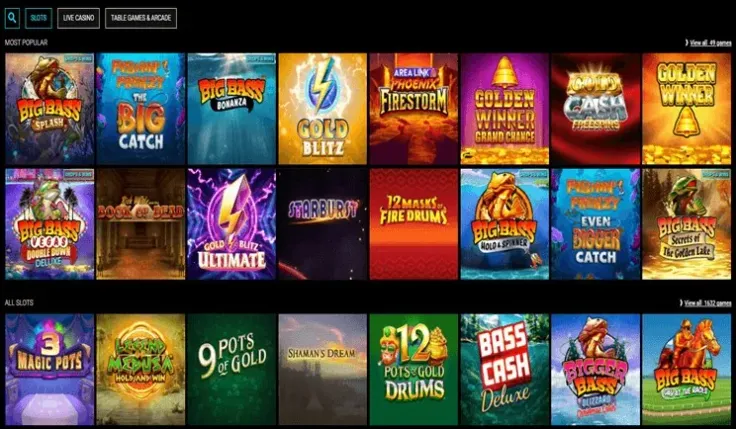
VoodooDreams mobile means the mobile site: there is no iPhone app and no Android app. You open VoodooDreams in your phone's browser, log in and play, with nothing to download or install.
That suits anyone who prefers to keep their phone free of extra apps, or who wants a casino account that lives in a browser tab rather than on the home screen. It also means there is no store listing to look for, and no app update to wait for.
What you can do on VoodooDreams on your phone

The mobile site is the way VoodooDreams is built for phones. Because it runs in the browser, you use it the way you would use any website: type the address or open your bookmark, log in with your existing details, and carry on. If you are new, you can sign up from the same phone, and if you already have an account, the login guide covers getting back in.
Compared with a desktop computer, the main difference is the screen. A phone gives you a smaller display and touch controls, and most people hold it upright. That matters most for games with lots of information on screen. Before you commit real money to a game on a small screen, make sure you can read the paytable, the bet size and the balance without squinting or zooming. The same goes for table games and live dealer games, where the betting area can be crowded. Our guides to slots, live casino and games explain how each type works, so you know what you are looking at before you play.
A few points to keep in mind on a phone:
- Turn the phone to landscape if a game feels cramped. Many games are easier to read that way.
- Check the stake before every round. Touch screens make it easy to tap the wrong button.
- Online slots in the UK have a minimum spin time and a stake limit per spin, and these limits apply on mobile just as they do on desktop.
The mobile site is the browser version of VoodooDreams, so there is no separate phone app with its own menus or features to learn. If you want to see which game types are available before you play on a small screen, the games overview is a good place to start.
No app to install: using the mobile site

Since VoodooDreams has no native app for iPhone or Android, there is nothing to find in the App Store or Google Play. The steps above show how to open the site in your browser. The only extra you may want is the browser's Add to Home Screen option, which puts a shortcut on your phone. It is a link to the website, not an app, and it behaves like the site in a browser tab.
Be careful with anything that says otherwise. If a store listing, an advert, a message or a website offers a "VoodooDreams app" for download, do not install it. Never install apps or files from unknown sources, and never accept an installation file sent to you in a message. A genuine route to the casino is the one behind the visit VoodooDreams button on this page, or the address you type or bookmark yourself.
If you want to double-check how the platform pages compare, the Android app page and the iPhone app page cover those two platforms, and the general app page summarises the position.
What can you expect from playing in a browser rather than in an app?
- The site loads when you open it, so a stable connection matters more than free storage on your phone.
- Your browser handles the security padlock and any saved login, so keep it up to date.
- If a page freezes or a game stops loading, closing the tab and reopening the site is usually the quickest fix.
- A bookmark or a home screen shortcut gets you back to the right address without searching, which also helps you avoid look-alike sites.
The site runs in your phone's browser, so there is nothing to download. If it will not open on your phone, you can reach support through the contact page.
Practical points for playing on a phone
Protect the device. Your phone is now the door to your casino account, so use a screen lock with a passcode or biometric unlock, and do not let anyone else use the phone while you are logged in. If you save passwords in your browser, make sure the phone itself is locked. Log out when you finish, especially on a shared or borrowed device.
Mind your connection. Home wifi is more private and usually more stable than public wifi. On a café or station network, avoid logging in or making payments. Games with live video can use a fair amount of mobile data, so check your allowance if you are not on wifi, and watch for a weak signal mid-round.
Use the control tools. Every UK-licensed operator must offer deposit limits, time-outs and self-exclusion, and you can reach them from your account on a phone, so set them before you start rather than mid-session. Our safer gambling page explains each tool, and GAMSTOP covers all UK-licensed online casinos if you want to stop altogether.
Watch for notifications. Phone alerts can interrupt a game or pull you back to the site when you had planned to stop. Silence them or log out if that happens. Treat playing time as entertainment that costs money, and put the phone down when the time you planned has passed.
Keep payments simple. If you deposit from your phone, use a debit card or another method in your own name, and read the amount carefully before you confirm. The deposits guide and the withdrawals guide explain the payment side in more detail.